Xtra Hands Family Chore App
Household chore management remains one of parenting's persistent friction points, and Xtra Hands positions itself as the...

Catalyst Healthspan Audit
Personal trainers typically sell training sessions. This startup reversed the equation by building assessment first, mak...
Recently Listed
1,032 launches
Premium
Personal trainers typically sell training sessions. This startup reversed the equation by building assessment first, making it free, and stripping away friction entirely. Catalyst Healthspan Audit addresses a straightforward problem: most people lack a structured way to understand their fitness across multiple dimensions, and those who do often face high friction barriers to entry. The product is a 12-question browser-based questionnaire that scores healthspan on a 0 to 10 scale across four pillars: body composition, cardiorespiratory fitness, stability, and strength. It completes in roughly two minutes on mobile without requiring measuring tape or account creation. Results arrive immediately as a downloadable PDF report emailed to the user, with their composite score, pillar breakdowns, identification of weakness areas, and personalized next steps. The scoring algorithm is deterministic, but a language model generates personalized narrative around the numbers, making results feel tailored rather than template-driven. Users with Apple Watch, Garmin, or Oura devices can feed in actual biometric data for greater precision, though this is entirely optional. What distinguishes this is its position at the top of a measurement funnel. The Catalyst Healthspan Audit serves as a gateway to a full 60-minute in-studio assessment at Catalyst Performance, a personal training studio in Singapore's Manulife Tower. This positioning is deliberate: founders operate the studio, so the audit genuinely reflects how they pre-screen every client before discussing training. That authenticity cuts through typical fitness marketing noise. The product extends beyond the audit itself. The team publishes eleven free calculators alongside it, each grounded in published research and built to run entirely in the browser. These cover VO2 max estimation, fitness age, grip strength benchmarks, waist-to-height ratio, and protein intake guidelines. They embed via single-line code snippets, lowering the bar for publishers to add them to websites. This approach treats measurement infrastructure as a public good rather than proprietary advantage. Pricing is absent by design: the audit is free with no sign-up friction. The business model sits in the background, functioning as a lead generator for a physical training business rather than a standalone SaaS product. For users, this eliminates risk when trying the product. For anyone building fitness or wellness software, the open calculators and transparent research citations offer a template worth studying.
 Featured
Household chore management remains one of parenting's persistent friction points, and Xtra Hands positions itself as the antidote to daily nagging and invisible labor distribution. The app serves families of any composition, from traditional two-parent households to split arrangements, multi-generational living situations, and shared housing scenarios where coordination matters. The product distinguishes itself with an unusually generous pricing model. Rather than gating core functionality behind paywalls, Xtra Hands offers comprehensive features at no cost for the first household member, with no trial period or credit card requirement. Everything core to household management remains permanently free: chore creation, allowance tracking, notifications, photo-based task completion verification, and a rewards system built around either money or points. This commitment to avoiding feature lockdown sets it apart from typical freemium household apps. What makes the app resonant beyond pricing is its fundamental framing. Xtra Hands insists on calling users "members" rather than "kids," a semantic choice that reflects its design philosophy. This isn't a children's gamification tool but household infrastructure that accommodates a nine-year-old checking chores on the family tablet, a teenager managing their own balance on a personal phone, a co-parent in a separate residence sharing the same ledger, or a flatmate participating without allowance mechanics. That flexibility matters in a fragmented modern household landscape. The feature set itself moves beyond simple task lists. Chores can be tagged to rooms, scheduled daily or by weekday pattern, set as shared or individual responsibilities, and carry over from missed days. The approval workflow creates a clear request-and-accept model where members request rewards and parents determine when balances move. Photo proof adds concrete evidence of completion rather than relying on trust alone. The morning glance dashboard provides a single view of household status across all members. The app operates across web and mobile platforms with synchronization, meaning adoption doesn't require everyone to have a smartphone. Rotation groups demonstrate the product understands that household labor distribution often follows predictable patterns. Vacation mode indicates the designers recognize household routines fluctuate seasonally. Xtra Hands was built by someone who lived the problem firsthand rather than theorized about it. The result is a tool that handles the specific mechanics of household coordination without unnecessary gamification or complexity, addressing a genuine operational need that families currently solve through spreadsheets, whiteboards, and arguments.


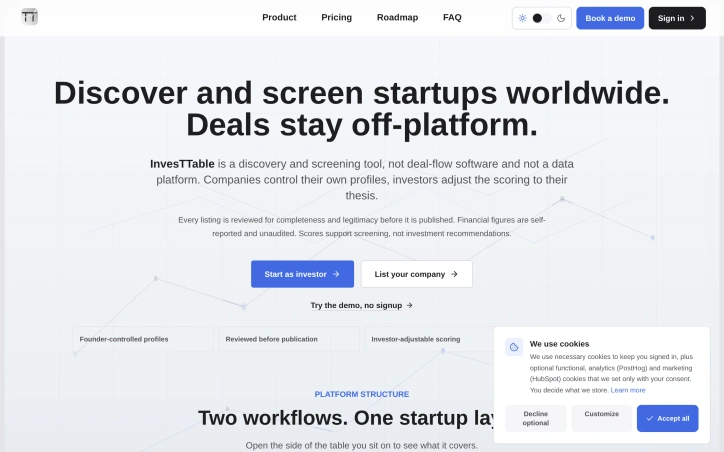
Matching investors with the right startups has long been a friction point for both sides. Investors filter through dozens of unqualified leads, while founders pursue funds with misaligned theses, wasting everyone's time. InvesTTable tackles this discovery problem head-on by creating a dual-sided screening platform where investors find scored, benchmarked startups and founders build discoverable profiles that reach aligned capital. The platform's architecture reflects deliberate design choices. Rather than positioning itself as deal-flow software or an investment platform, InvesTTable focuses narrowly on discovery and screening. Founders control their own profiles completely, deciding what to share down to full stealth mode. Every company listing undergoes review for completeness and legitimacy before publication, addressing a core trust issue in startup discovery. Investors receive structured data without gatekeeping; they make their own outreach decisions directly. What distinguishes InvesTTable from generic startup databases is its scoring transparency. The platform shows five analytical layers for each evaluated startup, revealing how scores are calculated rather than presenting them as black boxes. Investors can adjust scoring criteria to match their own investment thesis, turning a generic benchmark into a personalized screening tool. Data freshness and status are disclosed alongside profiles, so investors know how current the information is. The feature set serves both sides' workflows. Investors access discovery tools, scoring systems, watchlists, and alerts to track interesting companies. Startups receive a free quality score highlighting their two most impactful improvements, along with visibility into percentile rankings and real investor interest signals. The founders are explicit about what the platform does not do: it neither brokers introductions nor manages deal pipelines. Every transaction happens off-platform between parties. The value proposition hinges on precision over volume. Rather than drowning in hundreds of unread applications, investors see fifty qualified profiles. Rather than scattering applications across networks, startups maintain one living profile. This specificity appeals to a particular operator: the independent scout who values structured signal and works on their own terms. InvesTTable's constraint is deliberate. By refusing to manage deals, handle funding rounds, or sit in the middle of transactions, it simplifies the product and keeps both investors and founders in control. That focus also means it does not replace existing deal-flow infrastructure for larger funds. The platform succeeds by being clear about what it is and what it is not, solving the matching problem without overreaching into deal management.

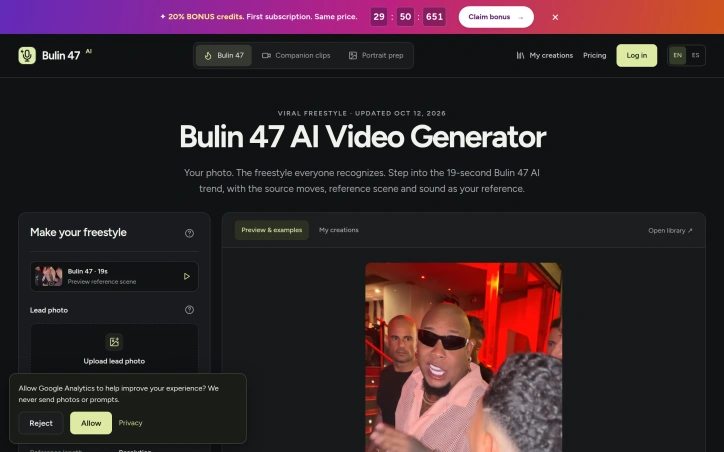
A browser-based video generator that transforms a single portrait into a 19-second vertical freestyle performance represents a narrow but strategic bet on the longevity of an internet trend. This tool capitalizes on the viral Bulin 47 and Kevin Wai freestyle clip that has inspired countless TikTok recasts, removing friction from creating variations without requiring video editing skills or dance ability. The core mechanism is straightforward: upload a clear frontal photograph, select whether to use the original supporting cast or add custom background performers, and the system generates a video where the face and clothing from your photo grafts onto a reference body performing choreographed movements. The 19-second length mirrors the popular segment from the original performance, and output options include 480p or 720p quality, both with audio. Everything runs in a web browser with no app installation required and no watermark on the final file. What distinguishes this from generic video synthesis tools is its unflinching embrace of a specific cultural moment. The product openly acknowledges its reliance on the source material and original performers, making realistic disclosures about limitations. Lip movements may not sync syllable-for-syllable, hands can shift position, and source accessories may persist. This transparency about limitations actually builds credibility in an AI space otherwise flooded with overstated claims. The business model is straightforward: new users get credit to explore, but full video generation requires purchased credits. The entry package at $9.90 covers a single 480p video, keeping the trial barrier low. Support for English and Spanish pages suggests awareness of the trend's geographic reach. The product is explicitly positioned as an unofficial fan tool unaffiliated with Bulin 47 or TikTok, a choice that limits legal exposure while managing expectations. For creators invested in the trend, this focus is its strength. Success depends on the trend's longevity, an inherently unpredictable variable.

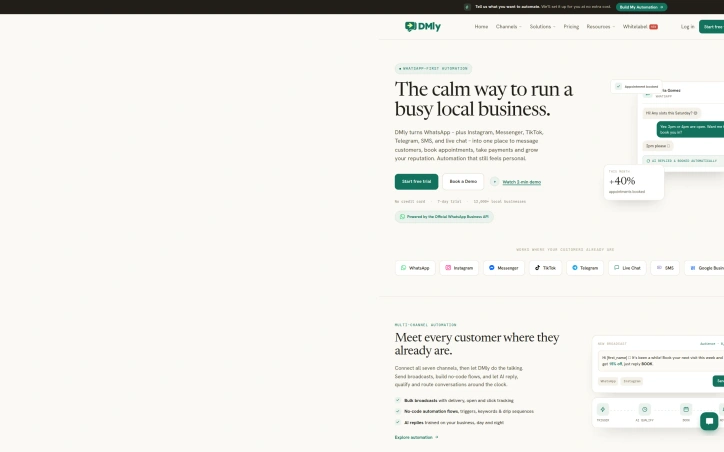
Fragmented tools plague local service businesses—most juggle separate platforms for customer messaging, appointment scheduling, payment collection, and reputation management. DMly consolidates these functions into a unified WhatsApp-first system designed specifically for the needs of small shops, salons, and service providers who want to automate customer interactions without losing the personal touch that builds loyalty. The platform's defining strength is its multi-channel approach. Rather than forcing customers toward WhatsApp exclusively, DMly operates across seven channels—WhatsApp, Instagram, Messenger, TikTok, Telegram, SMS, and live chat—bringing all conversations into a single inbox. This design choice meets customers where they already spend time rather than demanding they switch apps. At its core, DMly combines three essential capabilities. The automation layer uses no-code flows, triggers, and AI-generated responses trained on each business's operations to handle routine inquiries around the clock. The inbox unifies all channel conversations so teams can assign chats, leave notes, and hand off from bot to human seamlessly. The CRM component tracks customer journeys, visualizes sales pipelines with drag-and-drop management, and ties contacts to bookings and payment history in one profile. The booking and payments functionality handles the operational backbone—appointment scheduling, class registrations, invoices, and payment collection all happen within conversations, eliminating the friction of external checkout flows. Broadcast features let businesses send promotions with delivery and engagement tracking, while segments and custom fields enable targeted messaging without manual list-building. The business model emphasizes accessibility for early adopters: free trial access with no credit card requirement lowers barriers to testing, though specific pricing tiers remain undisclosed. The positioning toward "local businesses" targets the underserved SMB segment that large platforms often overlook. DMly's central bet is that local service businesses don't want to become software operators—they want their tools to work harder. By bundling messaging, automation, scheduling, CRM, and payments into a single interface anchored to channels customers already use, it consolidates multiple point solutions into one opinionated system. Whether that consolidation actually simplifies operations for users rather than shifting fragmentation elsewhere will determine its long-term stickiness.

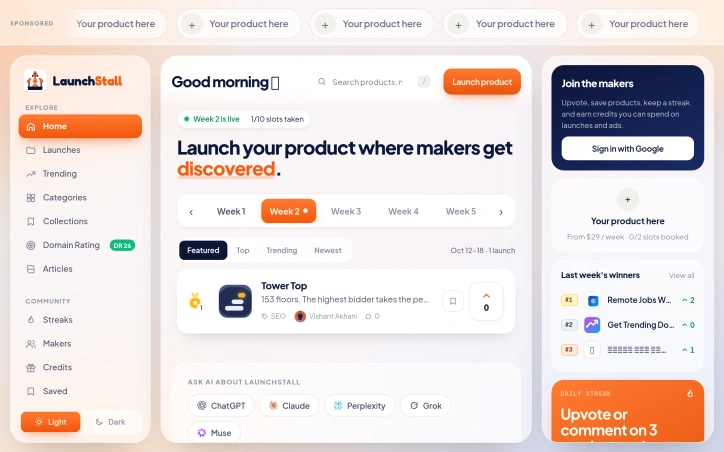
Product discovery remains a persistent challenge for independent makers and product creators launching new projects. This weekly product showcase addresses that friction by offering a structured, community-driven launch platform that handles the mechanics of distribution and visibility. The service differs from broader sharing platforms by concentrating launches into cohesive weekly batches and tying reputation to ongoing community participation. The core offering consists of ten weekly product slots, which creators can book to reach an engaged audience. The platform addresses the visibility problem through multiple angles. It generates permanent product pages that serve as persistent landing points, provides SEO backlinks to help with search rankings, and maintains a community-driven discovery system where users upvote and engage with launches. This combination transforms the platform from a passive listing service into an active discovery engine where products compete for attention within a structured weekly window. The engagement model centers on a streak system that rewards consistent participation. Users who upvote or comment on products three times daily unlock access to premium features, including priority launch slots and featured ad placements. This creates dual incentives where community members benefit from frequent engagement while creators gain access to better positioning. The platform also introduces a "Tower" ranking system where higher bids secure more prominent placement, functioning as a bidding mechanism for top-tier visibility. The product includes infrastructure designed to help creators understand performance. Analytics tracking and categorization across lifestyle, business, developer tools, AI, education, and productivity allow makers to see where their product fits relative to competitors. A domain rating feature provides another signal for evaluating competitive strength and positioning. The weekly cadence matters significantly. By concentrating launches rather than spreading them continuously, the platform creates natural windows of focused attention. This prevents the audience fatigue common in high-volume platforms and gives each product genuine opportunity for discovery within its assigned week. Pricing starts at $29 per week for ad placements, with premium features tied to community participation streaks. This model aligns incentives between the platform, creators seeking visibility, and community members seeking engagement rewards. The approach fills a specific niche: makers launching software, tools, apps, and digital products who want structured visibility within a supportive community rather than algorithmic distribution in a vast network. It's particularly well-suited to creators where backlinks and community signals carry tangible value for discoverability.

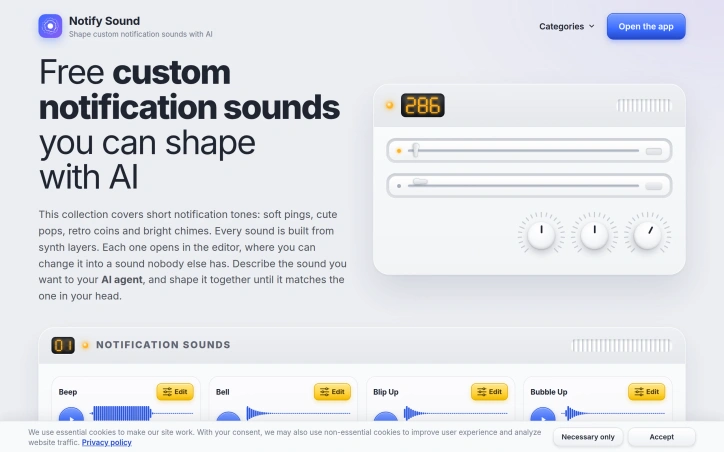
Personalization of notification sounds is typically constrained by pre-built libraries, but Notify Sound eliminates that limitation by letting users generate custom tones through AI assistance. The service addresses a straightforward frustration: most mobile phones ship with generic notification sounds, and existing alternatives offer little flexibility without technical expertise. Notify Sound is built for anyone who wants their alerts to sound distinctly theirs without requiring audio engineering skills. The core innovation centers on using AI assistants as a collaborative design tool. Users describe the sound they want—a soft two-note chime, a retro coin pickup, or something that cuts through background noise—and an AI agent builds the sound layer by layer, returning a link to an interactive editor. This approach bridges the gap between imagination and execution. The editor features real-time playback, so changes take effect instantly. Users hear the result of softening a sharp ping or extending a bell's resonance before committing to the final version. Every sound is synthesized from layered components rather than sampled recordings. This architecture creates depth: users stack bright layers for sparkle and low ones for weight, building complexity from discrete elements. The system ships with over 200 ready-made sounds—ranging from classic beeps to cash register tones—serving as either finished products or starting points for further customization. Integration with major AI platforms amplifies the product's reach. Notify Sound operates as an MCP server for Claude, ChatGPT, Codex, and VS Code, allowing users to request sound generation directly within their preferred assistant. Setup involves pasting a single URL into the assistant's configuration. The sounds themselves are fully portable: users download them as files and set them as notification tones, text alerts, or ringtones on iPhones, Android devices, and Samsung phones. Android allows different apps to have distinct notification sounds, enabling truly granular customization. The business model is straightforward: the service is entirely free, with no account requirement. This removes barriers to experimentation. The product's strength lies in combining AI-assisted generation, hands-on editing, and broad platform support into a unified tool. For users fatigued by generic notification sounds, Notify Sound offers genuine personalization without requiring audio production knowledge.

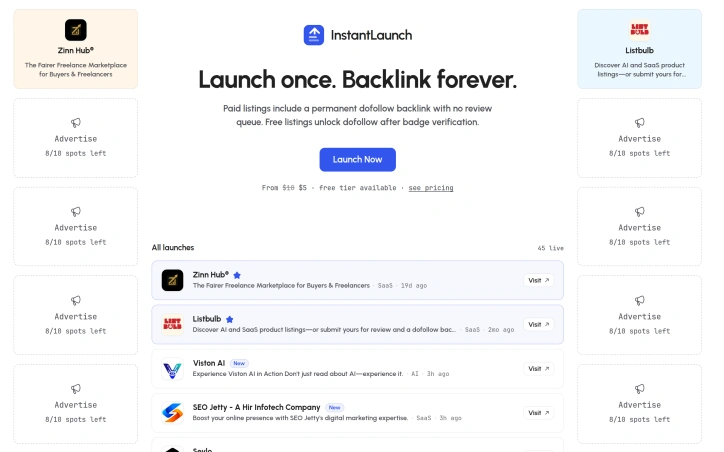
Founders launching new products face a genuine tension: rushing to market often means sacrificing search engine visibility, while traditional product directories demand lengthy review processes that delay public debut. InstantLaunch directly targets this friction by offering immediate listing placement for AI and SaaS products, bundled with permanent search-friendly backlinks. The core proposition is straightforward. Paid listings skip review queues entirely and arrive with a dofollow backlink attached—one that remains active indefinitely and never degrades to nofollow status. Free listings work differently: they enter a verification pathway where badge confirmation unlocks the same backlink benefit, creating a clear incentive structure without forcing every founder into a paid tier. What distinguishes this approach from comparable directories is the permanence emphasis. Most product directories treat backlinks as temporary promotional assets, removing them after feature periods end or downgrading them to nofollow. InstantLaunch's decision to keep links active perpetually reframes the value proposition from transactional visibility to lasting SEO equity. For founders publishing once with the expectation of remaining listed indefinitely, this model carries real appeal. The directory itself operates as a curated marketplace rather than an open submission feed. Every listing receives human review before publication, establishing quality control without necessarily slowing paid submissions. The interface surfaces metadata about product categories—AI, SaaS, Productivity, Dev Tools—alongside submission timestamps, helping founders gauge both competitive density and marketplace momentum. The current roster shows active listings with recent additions, indicating ongoing use. Pricing starts at $5 with higher tiers available, making access feasible for bootstrapped teams while accommodating scaling operations. The actual limitations center on two critical points. First, a backlink's SEO value depends on the linking domain's authority and Google's continued indexing of the directory itself. Neither condition receives explicit guarantee in available materials. Second, the scope is narrow—AI and SaaS products only—limiting utility for founders building outside these categories. InstantLaunch succeeds in its core mission: eliminating the review queue penalty that traditionally accompanies directory credibility. Whether the permanent backlink claim justifies the cost depends entirely on users' SEO priorities and confidence in the directory's long-term sustainability.

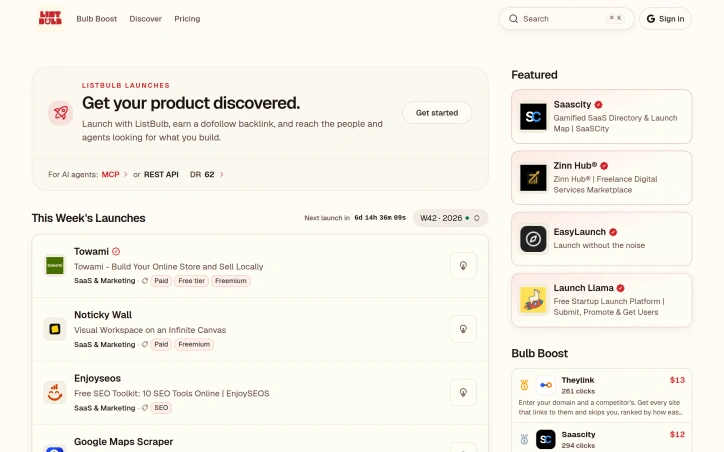
Founders seeking product discovery and SEO value will find a focused alternative in this hand-curated directory for AI and SaaS tools. ListBulb addresses a real gap: while product launch platforms have proliferated, most treat discovery as secondary to promotion noise. This platform inverts that priority by emphasizing editorial curation and direct connections between builders and both human and AI-powered searchers. The product differentiates itself through two mechanisms. First, it positions itself explicitly for AI agent discovery through both MCP and REST API integrations, recognizing that increasingly, AI systems are the ones researching and evaluating tools. This forward-thinking approach acknowledges how purchasing decisions actually work in 2026. Second, every listing comes with a dofollow backlink—a tangible SEO benefit that most competing launch platforms reserve for premium tiers or don't offer at all. The featured section reveals the business model in action. Prominent placement rotates among products like Saascity, a gamified SaaS directory with voting mechanics; Zinn Hub, a freelance services marketplace; and Launch Llama, a competitor platform itself. Each listing shows engagement metrics, suggesting transparency about what visibility actually produces. The "pay what you want" approach to featuring suggests flexible pricing over rigid paywalls. The directory's curation claim matters more than it initially appears. Spam is the endemic problem of product directories—at a certain scale, unmoderated listings become worthless. Hand-reviewed entries mean a founder submitting their tool goes into a curated set, not a firehose. This appeals to both builders wanting legitimate discovery and to the serious users who browse there. The integration of tools like Theylink in the featured section underscores ListBulb's positioning within an ecosystem of discovery and growth products. Theylink itself solves competitive backlink analysis, which complements a platform focused on earning backlinks. The obvious constraint is that a hand-curated directory grows more slowly than community-driven alternatives. Curation requires labor, and scaling it becomes a question of unit economics. The platform's explicit focus on AI and SaaS also narrows its addressable market compared to general product launches, though this narrowness is precisely what makes curation defensible. For founders building AI and SaaS products, ListBulb presents a legitimate alternative to the noise-to-signal ratio of larger launch platforms, with the added incentive of actual SEO value. Whether hand-curation translates to meaningful discovery depends on whether the platform can attract the right audience of both humans and AI agents seeking solutions in this space.

Dividing expenses among roommates, travel companions, or romantic partners remains one of those friction points that modern apps haven't fully resolved. CoolMeow addresses this gap by packaging expense tracking, photo attachment, and settlement calculations into a single ledger that syncs across iOS and Android. The product targets groups that need ongoing financial accounting: couples managing household costs, friend groups splitting trips, or roommates tracking shared utilities and groceries. The core functionality is straightforward—users log expenses, assign who paid and who benefited, and the app calculates resulting balances. Where it distinguishes itself from basic expense splitters is the attention to supporting context. Expenses can include photos and notes, keeping receipts and justifications alongside transactions rather than scattered across email or messaging apps. Several features demonstrate thoughtful design. Receipt scanning extracts amounts, merchants, dates, and times directly from photos, returning a draft for verification before commitment. Spending reports break down costs by date, category, and individual, with each total linking back to underlying transactions. Support for multiple currencies within a single ledger addresses the friction of international trips or cross-border payments, converting everything to a primary currency for settlement calculations. The architecture acknowledges payment logistics: CoolMeow calculates who owes whom but leaves actual transfers outside the app, avoiding the complexity and regulation of processing payments directly. One practical element is governance—the ledger creator controls who can add or view expenses and what role participants play. The business model reflects this philosophy. Personal expense tracking is free. Sharing requires the creator to hold an active Basic subscription, though invited participants join without paying. Receipt scanning also requires a subscription and carries usage limits. Cloud synchronization and ledger restoration similarly depend on an active subscription. This creates clear monetization while lowering initial friction for new users exploring the product. A notable addition is MCP support, allowing AI tools to query ledgers, check splits, and preview changes. This positions CoolMeow at the intersection of expense tracking and AI integration, though it currently applies only to cloud ledgers and requires separate AI service subscriptions.


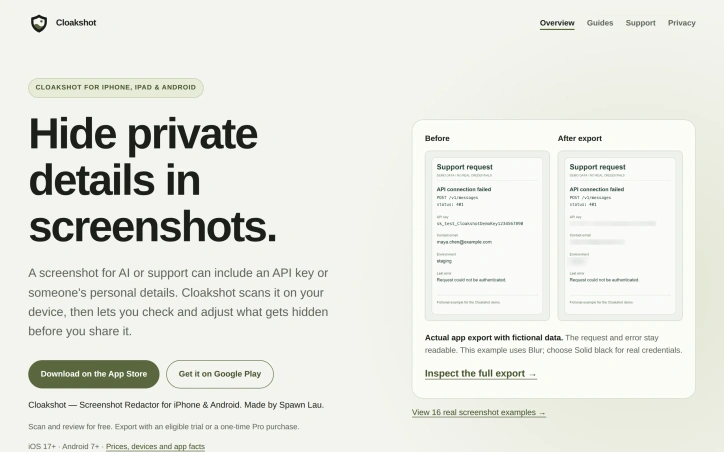
Accidental data exposure through screenshots has become a genuine security concern as teams increasingly share images with AI assistants and support teams. Cloakshot addresses this gap by providing on-device redaction specifically designed to catch what people often miss when manually blurring sensitive information. The app scans screenshots to identify potentially problematic content including API keys, passwords, phone numbers, email addresses, faces, QR codes, and photo metadata like GPS coordinates and EXIF information. Rather than redacting automatically, it flags candidates and lets users decide what actually needs hiding, preserving context that might be valuable for troubleshooting or communication. The redaction happens locally on the device, with no image uploads required and no account creation necessary. What sets Cloakshot apart is its verification workflow. After users apply masks and choose which metadata to remove, the app scans the redacted copy again to catch anything missed in the first pass. This second look acknowledges an uncomfortable truth: single-pass redaction tools are fallible, and users need help spotting remaining high-risk details. The final image is saved as a separate PNG file with masks baked in rather than stored as editable layers, which prevents accidental unmasking. The editing experience allows fine-grained control. Users can select individual characters rather than whole words, move or resize masks to adjust coverage, and switch between blur and solid black effects. This granularity matters when hiding an API key but keeping surrounding error messages readable, or covering one person's name in a group photo while leaving others visible. The pricing model reflects the app's positioning as a utility rather than a platform. Scanning and mask editing are free, which lowers the friction for trying the product. Export requires either a fourteen-day free trial with no credit card or a one-time purchase for Cloakshot Pro Lifetime. This approach avoids recurring subscription costs and eliminates the common frustration of free-tier apps with expiring trials or automatic renewals. The fact that no account is required removes another friction point for privacy-conscious users. The straightforward positioning targets both individuals and teams who regularly handle screenshots containing sensitive information. Support staff, security researchers, security engineers, and knowledge workers who document processes with screenshots would all find value. For a market segment where many people still manually blur sensitive data or avoid sharing screenshots entirely, an app that does local scanning, invites human judgment, and prices as a one-time purchase represents a practical improvement to an existing workflow.
Swipe fatigue has become the defining frustration of modern dating apps. This service attacks that problem directly by replacing endless profiles with a curated, human-driven approach. Built for people in Atlanta seeking substantial relationships rather than another scroll through superficial options, the platform combines personality archetypes with personal matchmaking to create a fundamentally different experience. The core mechanic centers on eight personality archetypes—Spark, Navigator, Anchor, Hearth, Dreamer, Captain, Trailblazer, and Firefly—that users discover through a free assessment. Rather than matching algorithms alone, a real person (the founder Matthew) personally reviews compatibility between verified members before sending match reports. This human layer distinguishes the offering from algorithm-driven competitors. Each match arrives with reasoning: shared values, complementary temperaments, aligned life plans, and specific details about how the pairing works in practice. The platform emphasizes data privacy. Profiles remain anonymous until both parties explicitly consent to connect. Every member undergoes identity and age verification, and responses are reviewed by real people rather than auto-matched and auto-sent. The company states data stays private and is never sold—important credibility in an industry skeptical of data practices. The user experience delivers immediate value: answering a short questionnaire generates an instant archetype report explaining who you are and your ideal match profile, requiring no login or account creation. Once registered, members receive a limited number of match reports from the platform's human reviewer, replacing the infinite-scroll model that breeds decision paralysis. The service is currently accepting founding members in Atlanta, positioning itself as a premium alternative to mass-market apps. No explicit pricing information appears in the materials, though the "founding member" language signals a membership structure rather than an ad-supported or freemium model. What stands out most is the philosophical inversion: instead of empowering users with tools to swipe, NexSpark removes that choice and replaces it with expert curation. Success depends on whether people embrace this constraint or resent the limits it imposes.


Freelancers squander time and money on invoice management, transforming what should be a simple administrative task into a recurring friction point. Invoala addresses this directly with a free invoice generator that combines professional PDF output, payment processing, and client management in a single interface. The product removes friction at every turn. The setup requires no account creation, no credit card, and no paywall. Freelancers describe their work in plain language and let AI complete the invoice with correct totals, or manually fill in details that the system saves for future use. The resulting PDFs are polished and brandable, generating professional-looking documents in seconds rather than minutes. Beyond document generation, Invoala bundles features that most freelancers assemble from multiple tools. A payment button on each invoice lets clients pay directly via card, Apple Pay, or Google Pay without leaving the document. The dashboard tracks which invoices remain open, which are due, and which are overdue, giving freelancers a clear view of cash flow. Client records persist across invoices so context doesn't get lost. Reusable service templates eliminate repetitive data entry for retainers and recurring line items. Tax rates and discount calculations happen automatically, avoiding manual arithmetic errors. Team workspaces allow agencies to collaborate and share client relationships. The sharing model stands out. Rather than sending static PDFs, freelancers can generate live share links that display real-time payment status, letting clients see at a glance whether an invoice has been settled. This transparency likely accelerates payments. The business model remains unencumbered. The tool is free forever with no sign-up friction, suggesting a play toward ubiquity and eventual monetization through payment processing fees or higher-tier features. Nothing in the public materials suggests hidden costs or upselling mechanics. User feedback clusters around simplicity and focus. Reviewers note the uncluttered interface and appreciate the decision to build a single, well-executed tool rather than a bloated bundle. For freelancers tired of juggling spreadsheets and email reminders, Invoala eliminates the overhead around invoicing while keeping money flowing in.


Generating floor plans from text descriptions isn't new, but FloorPlanBot brings a particular clarity to how AI can help homeowners and renters think through space before investing in professional design work. The tool takes a written brief about room needs and spatial priorities, then produces a conceptual layout in minutes, complete with dimensions and area calculations. What distinguishes the product is its honesty about its own limitations. The interface and documentation emphasize repeatedly that these are drafts requiring human review and professional scrutiny. This isn't marketed as a replacement for architects or detailed measured drawings, but rather as a conversation starter and exploration tool. That framing is rare in AI products and builds credibility. The feature set covers the practical workflow: users describe their desired layout in natural language, the system generates a 2K concept image, and they can then edit with AI or proceed to a 2D schematic. Export options span PNG, PDF, and CAD-compatible DXF files, giving users flexibility in how they share or develop the output further. The interface offers blueprint style variations and includes basic measurement tools like grid and ortho snapping, suggesting the creators thought about how these plans would actually be used. The business model is straightforward. New users receive three free credits upon signup, plus one additional credit per day through a check-in system. Each successful generation costs one credit. This creates a genuine free tier without aggressive monetization barriers, though the long-term pricing for heavier use remains undisclosed. The workspace is private, allowing users to save and revisit designs over time. Sample presets like Modern 2-Story Farmhouse and Studio Loft help new users understand what's possible without starting from scratch. FloorPlanBot targets a genuine need. Homeowners weighing renovation approaches, renters trying to visualize furniture arrangements, and anyone exploring a layout before committing resources benefit from quick AI-generated concepts. The product doesn't oversell its capabilities or pretend to replace professional work. Instead it occupies a specific position in the design workflow: the exploratory phase where ideas take rough visual form. For that purpose, it delivers a competent tool at a fair price point.


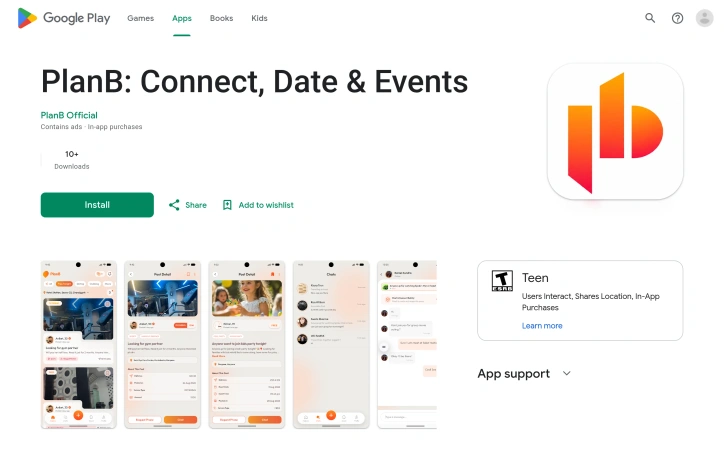
Location-based social discovery sits at the intersection of dating apps, event platforms, and friend-finding networks—a crowded space where few players excel at all three simultaneously. PlanB attempts to own this middle ground by positioning itself as a solution for the friction between discovering something interesting online and actually mobilizing a group to experience it in person. The core problem it addresses is real: users scroll through apps, see events happening nearby, spot interesting people, but rarely convert that digital discovery into real-world action. PlanB aims to collapse that gap by bundling location-aware people discovery, event exploration, and collaborative planning into a single interface. The target audience includes young adults seeking spontaneous social experiences, dating-adjacent connections, and community-driven activities within their immediate geography. What distinguishes PlanB in its current form is its explicit rejection of pure consumption. Rather than optimizing for time-on-app metrics typical of social platforms, the product design emphasizes converting browsing into plans—moving users past the "maybe later" decision trap. The ability to discover and then immediately invite others to shared activities creates a tighter loop between discovery and execution than isolated dating or event apps typically achieve. The feature set covers the necessary bases: location-tagged exploration of people, posts, and events; profile creation with photo sharing; and a planning mechanism that converts discoveries into group-invitable activities. Users can create and share content about what they're doing, making the platform bidirectional rather than purely consumptive. The combination of these elements suggests an attempt to blur the lines between dating, social networking, and event discovery in a way that most incumbents handle separately. The company explicitly monetizes through in-app purchases and advertising, though specific pricing tiers remain unstated. PlanB's positioning as a beta product carries both strengths and limitations: the transparency about early-stage development sets realistic expectations, but the platform faces the standard challenge of sparse user bases during initial growth. The privacy posture aligns with current regulatory expectations—encrypted transit, no third-party data sharing, and deletion rights—though whether these protections hold as the user base scales remains to be seen. The product presents a straightforward thesis: the gap between digital connection and real-world plans is worth solving. Whether location-based social planning at this stage justifies yet another app install remains the fundamental question users must answer.

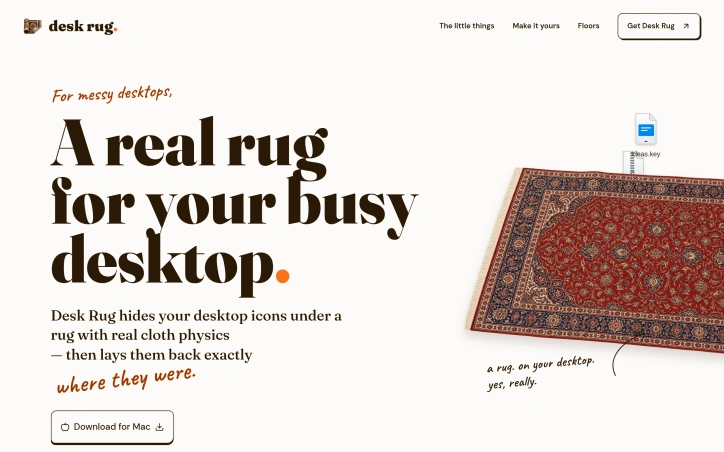
Hiding a messy desktop behind a whimsical veneer has become a legitimate productivity strategy for anyone who regularly shares their screen. Desk Rug addresses this by letting Mac users sweep their icons under a simulated cloth rug in a single keystroke, then restore them to their exact original positions when the moment passes. It sounds frivolous — and it is, intentionally — but the execution transforms the concept from novelty into a tool people actually use. The product solves a genuine problem for knowledge workers: the awkward moment before a demo or screen share when your desktop erupts across the wall. Rather than rushing to organize files into folders or frantically moving icons around, a quick hotkey command instantly tidies the visual chaos. No files are hidden behind fake overlays or moved into hidden directories. The icons are genuinely repositioned, just neatly stacked. When you need them back, another hotkey spreads them across the desktop in their original locations. What distinguishes Desk Rug from desktop clutter solutions is its commitment to unnecessary delight. The rug physics, rendered in Metal, respond to real-world behavior: grab a corner and the entire cloth follows with weight, drag, and folds. The developers included nine distinct rug patterns and fourteen floor textures, allowing users to customize the aesthetic or import their own images. Across multiple Spaces, each workspace can have different rug and floor configurations, creating a fully personalized experience. The feature set extends beyond the core sweep-and-restore mechanism. Scheduled tidying automatically arranges icons on a configurable schedule. Global hotkeys work from any application, so you don't need to switch contexts. The interface is deliberately minimal — a menu bar presence without a dock icon or lingering windows. The app runs entirely locally without account creation or data collection. The product builds on the open-source Under the Rug application, an MIT-licensed predecessor that established the cloth simulation concept. The developers retained the physics engine while expanding the feature set and improving performance and usability throughout. Available exclusively for macOS 14 and later, Desk Rug is free to download and use. It serves a specific user: someone whose Mac desktop collects visual debris, who shares their screen regularly, and who appreciates design details that serve no purpose beyond delight. That niche is far larger than it appears.

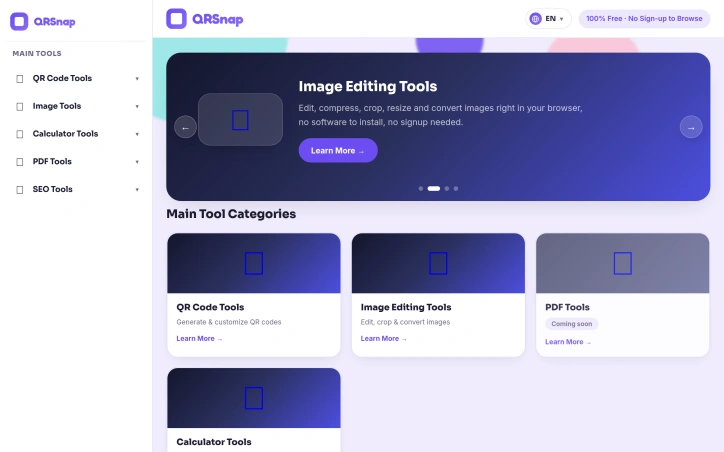
Consolidating dozens of free online utilities into a single dashboard, QRSnap addresses a fundamental friction point for internet users: tool fragmentation. Rather than bouncing between specialized websites to generate a QR code, compress an image, or calculate loan amortization, users can access everything from one streamlined platform. The product targets a broad base: students needing quick calculations, small business owners managing digital assets, content creators editing images on the fly, and developers requiring on-demand utilities. The pitch is straightforward—eliminate tool hopping, reduce cognitive load, and speed up routine digital work. QRSnap's strength lies in the breadth of its initial toolset. The QR code suite extends beyond simple link encoding, offering WiFi QR generation, business card QR codes, and barcode creation with customization options like color, logo insertion, and frame styles. The image editing toolkit covers compression, cropping, resizing, and multi-format conversion (JPG to PNG, WebP conversion, image-to-PDF transformation). A diverse calculator collection spans financial planning (compound interest, loan amortization), health metrics (pregnancy tracking, body fat estimation), and time tracking—categories that appeal to different user segments rather than narrow specialization. The design philosophy emphasizes accessibility. The browser-based, no-signup approach requires no software installation. This removes traditional friction: users open a link and start working. The interface prioritizes simplicity, positioning the tools as straightforward alternatives to more feature-bloated competitors. The roadmap includes PDF tools—merging, splitting, compressing, and conversion utilities—currently marked coming soon. The founders envision the platform as extensible. An SEO checker addresses website owners' needs. Several advertised tools remain incomplete. The PDF suite is not yet live, and the SEO category only includes a website checker. This gap between vision and current functionality matters for users evaluating adoption. QRSnap occupies a practical niche: it won't replace specialized software for power users, but it eliminates friction in tool discovery and consolidation for casual to moderate users. Free, quick-loading utilities that require zero registration align with how many people actually work online, making simplicity the primary competitive advantage. Whether QRSnap becomes a go-to utility hub depends on execution consistency and continued tool expansion.

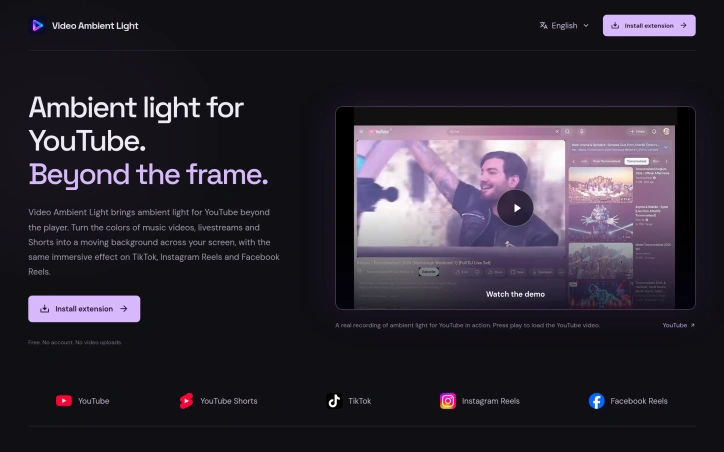
Browser extensions that enhance video viewing without compromising original content remain relatively rare, making Video Ambient Light a distinctive entry in a sparse category. It addresses a straightforward problem: the unused space surrounding video players, particularly on portrait-oriented content like TikTok and Instagram Reels, where large static margins can feel disconnected from what's displayed. The core mechanic extracts dominant colors from video in real time and projects them as a soft glow across the surrounding page. Unlike static themes, this approach ties the viewer's entire screen to the content itself, creating a cohesive visual environment that shifts as scenes change. The effect works equally well on landscape YouTube videos and vertically-oriented Reels, adapting to aspect ratio without requiring different configurations. What distinguishes Video Ambient Light is its respect for existing video quality. The original content remains unchanged and sharp while the atmospheric effect operates only in peripheral space. It also prioritizes privacy by processing all color analysis locally on the device, requiring neither account creation nor cloud uploads. The customization options are substantial. Users control glow intensity, softness, spread, saturation, and frame rate independently. UI transparency can be adjusted separately, allowing viewers to dial the effect anywhere from subtle to vivid. These granular controls accommodate both users seeking barely-perceptible enhancement and those wanting a more dramatic immersive experience. The extension spans five major platforms: YouTube and its Shorts format, TikTok, Instagram Reels, and Facebook Reels. This breadth means viewers maintain consistent preferences across their typical video diet rather than learning different tools for different sites. As a free offering available on both Chrome and Firefox, Video Ambient Light removes financial and platform barriers to adoption. For viewers experiencing eye fatigue during long sessions or seeking a more polished viewing environment, this extension delivers a genuine quality-of-life improvement. The focused feature set avoids bloat while extensive customization ensures the tool adapts to individual preferences rather than imposing a one-size-fits-all aesthetic.

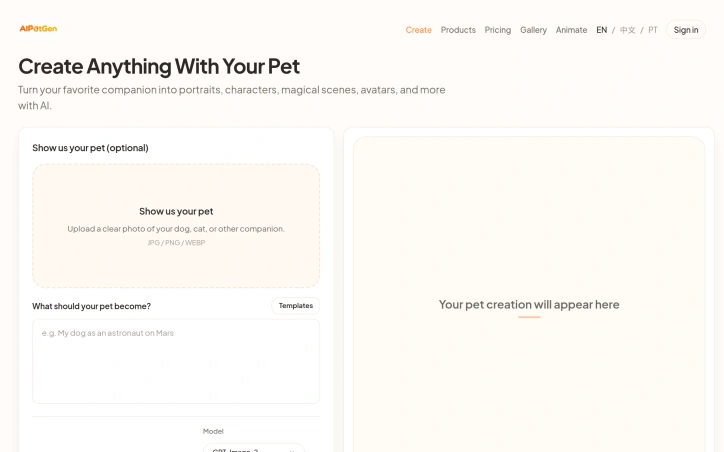
Turning pet photos into creative variations addresses a growing demand among pet owners who want shareable, stylized content of their companions. AIPetGen serves this audience with both static image generation and short-form video creation, all built around uploading a single photo or describing the desired scene. The product's image capabilities let users apply a range of artistic treatments to pet photos. Rather than generic filters, the platform offers specific templates like Renaissance portraits, Field Marshal uniforms, and Victorian aesthetics. Users can control aspect ratio, resolution up to 4K, and the specificity of their creative prompt. The platform explicitly guides users toward better results by recommending clear daylight photography, centered compositions, and detailed descriptions rather than vague requests. This practical documentation reflects real constraints in AI image generation and sets realistic expectations. The animation features expand the use case beyond still images. The text-to-video and image-to-video options generate short clips ranging from 5 to 15 seconds in 720p or 1080p resolution. The multi-shot capability with transitions suggests the tool can handle sequential scenes, letting users create short story-like content from a single pet photo. Video generation costs appear variable based on duration and resolution, made transparent before creation. The product distinguishes itself through granular control and transparency. Credit costs are shown upfront, avoiding surprise charges. The platform acknowledges technical realities, such as the stability trade-off between dramatic scene changes and consistent animal representation across video frames. This honesty about limitations builds credibility. The business model follows a freemium approach. Users receive one free 1K-resolution portrait daily through the dedicated portrait generator, plus starter credits for broader use. Beyond those allowances, each generation consumes credits, with image generation noted at 20 credits per attempt. Specific pricing for credits is not disclosed in available materials, making the actual cost to users unclear. One notable constraint is the emphasis on photo quality as a prerequisite. The platform's success depends heavily on input quality, meaning users with blurry snapshots or poorly framed photos may see disappointing results. This positions AIPetGen as valuable primarily for pet owners willing to invest in quality reference photos. The product occupies a clear niche: pet-focused creative content generation. It neither attempts to be a general AI image tool nor a professional animation suite, instead optimizing specifically for the pet photo transformation use case with templated designs and careful output controls.

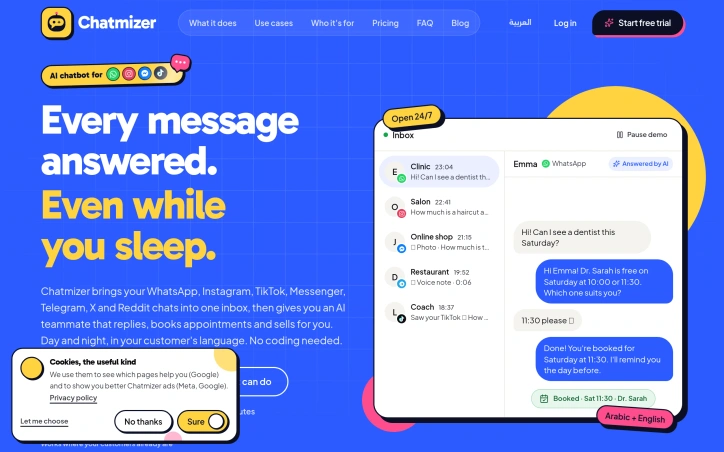
Managing customer conversations across multiple messaging platforms creates operational friction for small businesses and service providers. When a business owner must bounce between WhatsApp, Instagram, TikTok, and Messenger to answer the same recurring questions repeatedly, the result is wasted time and lost sales from delayed responses. Chatmizer consolidates seven messaging channels into a single inbox while deploying an AI assistant that handles customer responses around the clock. The value proposition is direct: one interface handles customer support, sales, and booking inquiries without manual effort across platforms. The platform's standout feature is its practical approach to automation. Rather than imposing rigid workflows, it learns from a company's website to understand pricing, services, and operational rules. The AI processes voice notes, photos, PDFs, and location data—not just text—and responds in customers' native languages, addressing the multilingual reality of modern commerce. For service businesses, calendar integration enables the chatbot to check real-time availability, propose time slots, and confirm appointments. The unified inbox includes team collaboration tools, allowing businesses to assign conversations and track performance metrics. Customer contact information persists with booking history, location data, and custom tags, enabling consistent interactions across all channels. Setup requires no coding and configures in minutes, removing barriers for non-technical owners. The platform offers free trials across all plans without requiring upfront payment. A significant limitation is the lack of pricing transparency. While free trials are mentioned, actual price points remain undisclosed on the company's website. Prospective customers must sign up to understand investment levels. Chatmizer solves a genuine problem for businesses managing multiple messaging channels and repetitive customer inquiries. Its breadth of channel support and multimodal input handling distinguish it from simpler chatbot solutions, while appointment booking capabilities appeal directly to service industries. The product demonstrates clear understanding of how customers communicate today and builds accordingly.