
Jam SQL Studio
A significant shift in the SQL IDE landscape materialized when Microsoft retired Azure Data Studio in February 2026, cre...

Pyzit Disposable Email Detector
We built Pyzit to solve the problem of fake signups and bot registrations plaguing online platforms. Our disposable emai...

DestList DFY Travel Planning System
DestList was built to solve a problem I felt personally: loving travel, but hating how much work planning a trip had bec...
Best Productivity Startups & Tools
Recently Listed
34 launches
For songwriters and rappers who struggle to capture their creative sparks before they slip away, Spit Notes offers a timely solution. By combining audio recording and note-taking in one app, it streamlines the process of jotting down lyrics or melodies as they come. What sets Spit Notes apart is its emphasis on convenience and organization. Rather than forcing users to switch between separate apps for voice memos and notes, it integrates these functions within a single interface. This means that audio and lyrics can be recorded and stored together, searchable by song, eliminating the frustration of losing track of ideas in scattered recordings or dated files. One standout feature is its auto-scroll functionality, which allows users to read their notes hands-free. For those who prefer a more interactive approach, Spit Notes also offers AI-powered tools, such as rhyme highlighting and inspiration generation. This context-aware assistance can help overcome writer's block and provide creative fills when needed. Pricing details are not explicitly mentioned in the provided text, so it remains unclear what users can expect to pay for this service. Based on the content, it appears to be designed with a professional user base in mind, offering features like iCloud syncing and pro tools that feel "invisible" until they're required. While Spit Notes doesn't use AI to write songs itself, its assistance features are intended to augment the creative process rather than replace human input. By providing context-aware inspiration and organization tools, it aims to help songwriters and rappers produce more efficiently and effectively, with less risk of losing their ideas along the way. As such, Spit Notes presents an attractive option for those seeking a more streamlined approach to their creative workflow.

For individuals struggling with cluttered task management systems and seeking a distraction-free experience, SyncTasks offers an attractive solution. The app's primary function is to simplify task organization by integrating seamlessly with popular services such as Notion and Apple Reminders. What sets SyncTasks apart from other productivity apps is its focus on minimalism. Inspired by the simplicity of dumb phones, the app features a clean interface that blends seamlessly with wallpaper, providing an uncluttered view of tasks without any distractions. This design choice makes it easy to stay focused on a single task at a time. The app's integration capabilities are also noteworthy. SyncTasks allows for two-way syncing with Notion databases, including those from multiple workspaces, and supports Apple Reminders as well. Users can create new lists or leverage existing ones, making it an excellent choice for managing tasks across different platforms. In terms of features, the app stands out for its widget integration, which provides a convenient way to view tasks without opening the app itself. This feature is particularly useful for tracking simple tasks like grocery lists or other on-the-go needs. The developer has also included a folder system and search filters to help users stay organized and find specific tasks quickly. Pricing information reveals that SyncTasks operates on a one-time purchase model, avoiding subscription fees – a refreshing approach in the productivity app market. With its commitment to transparency, regular updates, and lack of ads or tracking, SyncTasks appears poised to appeal to those seeking a straightforward, ad-free experience. As a standalone solution for task management, SyncTasks is certainly worth considering for individuals looking for an intuitive and distraction-free way to stay organized. Its clean design, robust integration capabilities, and transparent business model make it an attractive option in the productivity app market.
Meetings are a crucial part of modern work, but taking accurate and detailed notes can be a daunting task. Krisp's mobile app aims to alleviate this problem by providing an AI-powered meeting assistant that records conversations, transcribes audio, and delivers summaries in multiple languages. The app is designed for professionals who need to stay organized and follow up quickly on meetings held anywhere, whether online or offline. With Krisp Mobile, users can record in-person meetings with a single tap, upload voice notes or audio files for instant transcription, and view their entire meeting history on their mobile device. The app also allows users to send the Krisp AI bot to virtual calls on popular platforms like Zoom, Google Meet, and Microsoft Teams. What stands out about Krisp Mobile is its seamless integration with existing Krisp accounts and its ability to work offline or online. The app's features are intuitive and easy to use, making it an ideal solution for solo founders, remote teams, and hybrid meeting leaders who need to capture insights from meetings in real-time. Key features worth noting include the app's AI-powered transcription capabilities, which can deliver summaries and action items in 16+ languages. Users can also join virtual calls with the Krisp Bot or tap to capture live voice notes. All transcripts sync to desktop for easy access and management. Pricing details are not explicitly mentioned in the provided content, but the app is free to download and integrates with existing Krisp accounts. The mobile app extends Krisp's powerful meeting assistant to wherever users go, making it an essential tool for modern professionals who need to stay organized and follow up quickly on meetings held anywhere.

Meeting notes and transcription have long been a tedious task for teams, devouring precious time that could be better spent on actual work. Grain Desktop Capture seeks to alleviate this burden by automating note-taking and transcription with AI. Grain Desktop Capture appears well-suited for businesses, particularly sales teams, customer success, and product teams, which often require meticulous documentation of meetings and conversations. What stands out about the product is its ability to transcribe audio from a Mac without requiring any third-party bots or integrations. This feature makes it an attractive option for teams that conduct frequent ad-hoc calls, in-person conversations, or Slack Huddles. Key features worth noting include automatic transcription of meetings in over 100 languages, customizable meeting templates, and a live notepad for annotating notes during the meeting. The platform also integrates with popular CRM systems, allowing users to sync notes and properties directly into their existing workflow. Furthermore, Grain's AI-powered follow-up emails aim to streamline communication by generating concise and coherent messages. Pricing details are explicitly mentioned: at $29 per user per month for an annual plan, which may be considered reasonable for teams that can reap the productivity benefits of automated note-taking. While specific pricing tiers or custom plans are not detailed, the company's commitment to being cost-effective is evident. Grain Desktop Capture shows promise as a tool for simplifying meeting notes and transcription, but its effectiveness will ultimately depend on how well it integrates with existing workflows and tools.

For entrepreneurs and small business owners, repetitive tasks can be a significant drag on productivity. Super Intern aims to alleviate this burden by delegating busywork to AI, allowing users to focus on high-value activities. What stands out about Super Intern is its unique approach to task delegation. Rather than offering a range of tools or workflows, the platform provides a self-evolving AI intern that can learn and adapt to specific tasks and skills. This means users don't need to invest time in training or configuring the system – they simply delegate their work to the AI, which can then evolve to handle increasingly complex tasks. Key features worth noting include instant expertise across 1000+ domain-expert skills, seamless integration with popular apps and platforms (such as Discord, Telegram, and Slack), and a flexible plans structure that allows users to customize their needs. The platform also boasts impressive credentials, backed by top venture capital firms. Pricing details are straightforward: users can choose from various plans that offer different credit allocations for daily usage, or create custom plans tailored to their specific requirements. For small projects and quick turnarounds, the Starter plan offers 2000 credits per month at $16/month, billed yearly. The Project Space plan is ideal for frequent use and team collaboration, offering unlimited skills and an extra 5000 credits per month at $160/month. Overall, Super Intern's innovative approach to task delegation makes it an attractive solution for entrepreneurs and small business owners looking to streamline their workflow and boost productivity.

Task management applications often trap users in a cycle of broken streaks and overdue notifications, treating missed deadlines as failures rather than natural disruptions to workflow. DayDrift sidesteps this frustration by anchoring tasks to days of the week rather than specific dates. If you skip Monday's assignment, it simply carries forward to Tuesday without accumulating psychological baggage—a deliberately forgiving approach aimed at people who want structure without the weight of traditional productivity systems. The product's core innovation centers on its day-by-day accordion interface, which transforms weekly planning into a visual, tactile experience. Users assign tasks to specific weekdays and watch them organize naturally across a five or seven-day view. This design philosophy appeals to those who plan in weekly cycles rather than sprints or quarterly goals—professionals with recurring routines, freelancers managing variable workloads, or anyone seeking calm productivity over aggressive optimization. Beyond the layout, DayDrift embeds streak tracking directly into task management, gamifying consistency without the complexity of elaborate reward systems. You build momentum by completing recurring tasks, and the interface visibly tracks your progress. The application layers on practical utilities: customizable daily reminders, the ability to drag tasks between days, completed task history, and support for four languages including English, French, Portuguese, and Spanish. The business model separates functionality clearly between free and paid tiers. The Free plan accommodates up to seven incomplete tasks and provides basic weekly organization. The Unlimited plan removes the task ceiling, adds device synchronization via CloudKit, and enables viewing and customizing time windows for task history. The emphasis on CloudKit synchronization—with data stored in users' own iCloud accounts rather than company servers—signals a privacy-conscious stance that distinguishes it from mainstream productivity tools. The application's stripped-down visual design avoids the feature bloat that paralyzes many productivity users, instead betting that clarity and flexibility in weekly planning matter more than integration ecosystems. For people overwhelmed by traditional deadline-driven task managers, DayDrift presents a genuine alternative rooted in a different organizational philosophy.

Flaky tests can be a major pain point for development teams, causing frustration and slowing down the software development process. Trunk addresses this issue by providing a comprehensive solution to detect, quarantine, and eliminate flaky tests from a codebase. What stands out about Trunk is its ability to work seamlessly with various languages, test runners, and CI providers. This flexibility makes it an attractive option for teams using different technologies and workflows. The platform's AI-powered insights also allow for more efficient identification of flaky tests and tracking of their stability over time. Key features worth noting include the auto-quarantine of flaky tests, which eliminates unnecessary re-runs and unblocks CI pipelines. Additionally, Trunk's group-related failures feature helps identify patterns and trends in test failures, enabling teams to address root causes more effectively. The platform also integrates with existing ticketing systems, ensuring that flaky tests are properly assigned and resolved. Trunk's pricing model is not explicitly mentioned on the website, so I couldn't find any information on this aspect. However, based on the content provided, it appears that Trunk offers a robust solution for tackling flaky tests, which can be particularly beneficial for development teams struggling with test stability issues. The platform's scalability and flexibility make it suitable for organizations of various sizes and technical setups. Overall, Trunk presents itself as a reliable and efficient tool for managing flaky tests, and its features and capabilities align well with the needs of development teams looking to improve their testing processes. As such, it is worth considering for teams struggling with test stability issues or seeking to optimize their CI pipelines.

Creators of all types can breathe a sigh of relief with Chatquick AI's comprehensive suite of tools that streamline content creation for podcasts, audiobooks, and interactive audio. The platform's primary focus is on making it easy to bring ideas to life, bypassing the complexity often associated with traditional content production. What stands out about Chatquick AI is its ability to merge the creative process with automation, allowing users to turn simple ideas into professional-grade prompts that yield exceptional results. This integration of human input and artificial intelligence promises to save time and increase productivity for individuals and teams alike. The platform's user-friendly interface enables creators to upload their content or start from scratch, using AI-powered narration that is quick and hassle-free. Key features worth noting include the ability to create, edit, and share high-quality podcasts and audiobooks in one place, with or without the creator's own voice. Chatquick AI also offers a study explainer feature for converting articles, notes, or documents into study audio, as well as a prompt library where users can browse, save, and reuse powerful AI prompts for writing and content creation. The pricing structure is straightforward: starting at "free," with no further details provided on plans or subscription costs. This suggests that the platform may operate on a freemium model, where basic features are available for free, but more advanced capabilities require a paid upgrade. Overall, Chatquick AI appears to be an innovative solution for content creators looking to simplify their workflow and produce high-quality audio content with ease. While further testing is needed to fully assess its capabilities, the platform's promise of maximum productivity and success makes it worth considering for anyone in the creative industry.
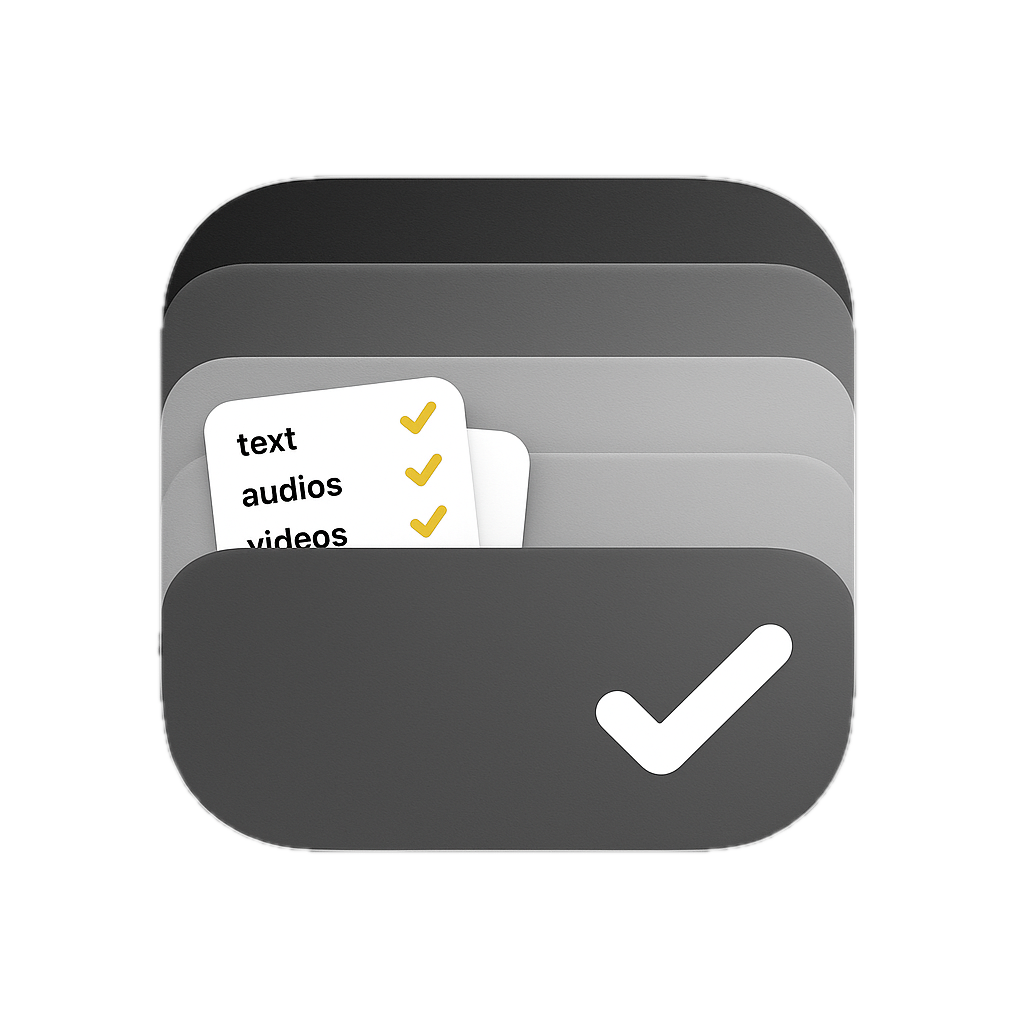
Mac users who work with files daily often find themselves bogged down in repetitive tasks and disorganized workflows. Stash aims to address this issue by providing a smarter, faster way to capture, organize, and process files, text, images, and links on macOS. What stands out about Stash is its emphasis on intelligence and automation. The app leverages AI-powered actions and OCR (Optical Character Recognition) technology to extract text from images and screenshots, making it an attractive option for professionals who spend a significant amount of time working with visual content. Additionally, the app's ability to recognize specific file types and apply batch processing tools can greatly streamline workflows. Stash's feature set is comprehensive, covering everything from instant capture and organization to voice transcription support. The app also boasts a seamless workflow, staying hidden until needed and revealing itself at the edge of the screen or with a customizable keyboard shortcut. This attention to detail is impressive and suggests that the developers have put considerable thought into creating an intuitive user experience. The pricing model for Stash consists of a free tier with limited features and two paid options: a yearly subscription ($29.99) and a lifetime purchase ($59.99). The free tier seems fairly generous, offering 10 items, one shelf, and 15 advanced actions per hour. However, users looking to get the most out of Stash will likely need to opt for one of the paid plans. Overall, Stash shows promise as a tool that can greatly simplify file management workflows on macOS. Its intelligent organization capabilities, AI-powered actions, and seamless workflow make it an attractive option for professionals who work with files daily.

Automated email workflows have become increasingly essential for businesses, but setting them up can be a tedious and complex task. Dreamlit AI claims to solve this problem with its truly end-to-end AI email agent, which promises to connect your database and generate customized email workflows in mere seconds. What stands out about Dreamlit AI is its unique approach to no-coding-required email automation. The platform's emphasis on "vibe coding" your email workflows implies a more intuitive and creative process, allowing users to focus on the aesthetics of their emails rather than getting bogged down in technical details. One notable feature of Dreamlit AI is its ability to connect with databases, which suggests that it can handle large volumes of user data and generate targeted campaigns. The platform's video demo showcases the ease of use, where users simply ask the AI how they want to reach their audience, and receive a pre-configured email workflow. The pricing model for Dreamlit AI is not explicitly mentioned on its website, so we cannot comment on costs or subscription tiers. However, the presence of a "try it free" option suggests that the platform may offer some level of freemium service or trial period. Overall, Dreamlit AI appears to be an innovative solution for businesses looking to streamline their email automation processes without requiring extensive technical expertise. Its emphasis on creativity and ease of use makes it an attractive option for companies seeking to enhance their customer engagement strategies through bespoke email campaigns.

Automating repetitive tasks on various devices can be a significant burden for many organizations. Caesr AI solves this problem by providing a platform that enables users to automate anything on any device using natural language prompts. This innovative approach makes it accessible to non-technical users, allowing them to focus on more complex and creative work. One of the standout features of Caesr is its ability to execute automations across multiple platforms, including desktops, mobile devices, HMI (Human-Machine Interface), and embedded systems. It can also adapt to UI changes without requiring manual updates, ensuring that automation scripts remain effective even in dynamic environments. Additionally, the platform provides a trust layer with detailed reporting and audit trail capabilities, making it compliance-ready from day one. The Caesr SDK allows users to define tasks in natural language or code, using an open-source Python API. This flexibility makes it easy to integrate into existing workflows and CI/CD pipelines. The agent OS runs on various devices, including Windows, macOS, Linux, Android, and supports concurrent sessions, remote access, and on-premise deployment. Caesr's infrastructure is designed to scale with the organization, eliminating the need for manual scripting and maintenance. The platform boasts benchmark-leading performance, backed by enterprise-grade infrastructure. One notable success story is Deutsche Bahn, which reduced testing time by 80% after implementing Caesr AI. With its robust feature set and proven track record, Caesr AI is an attractive solution for organizations seeking to streamline their automation processes. While pricing details are not explicitly mentioned in the provided content, it's clear that Caesr AI offers a scalable and flexible solution for automating tasks across various devices. As the platform continues to evolve, it's likely to appeal to a wide range of industries and use cases, making it an exciting development in the automation space.

For businesses and entrepreneurs with multiple locations or remote teams, managing paper mail can be a significant challenge. It not only consumes time but also costs resources in terms of personnel, equipment, and postage. US Global Mail addresses this problem by offering a virtual mailbox service that automates the process of receiving, sorting, and digitizing physical mail. What stands out about US Global Mail is its use of AI to summarize and prioritize incoming mail, allowing users to focus on what's important. The platform also offers seamless integration with popular tools like Slack, Drive, and Jira, enabling automated document routing and tracking. This level of automation can significantly streamline workflows and boost productivity. Key features worth noting include same-day access to mail and documents, free check deposits, and robust security measures such as bank-grade encryption and two-factor authentication. The platform also ensures compliance with standards like SOC2 and HIPAA. US Global Mail's pricing model is explicitly stated on their website, offering a unique combination of unlimited mail and free check deposits for certain plans. This approach eliminates the need for users to worry about mail limits or fees per item, making it an attractive option for businesses with high volumes of incoming mail. Overall, US Global Mail presents itself as a robust solution for companies struggling with paper mail management. Its AI-powered features, seamless integrations, and compliance with industry standards make it an appealing choice for those seeking to optimize their workflows and reduce operational costs.

Creators face a persistent market fragmentation problem: social networks excel at audience building but offer no direct income, while job platforms lack the community and portfolio features that make work discoverable. Palify 2.0 attempts to bridge this gap by positioning itself as a unified space where designers, developers, and writers can simultaneously showcase their work, connect with peers, and access paid opportunities. The platform's core value proposition centers on reversing the incentive structure of legacy social networks. Rather than extracting user attention for advertising revenue, Palify introduces a marketplace model where creators earn through job listings, service offerings, and brand partnerships. The numbers suggest early traction: over 20,000 active creators have built profiles, with 12,300+ reviews averaging 4.9 stars. Transaction volume indicates meaningful engagement—4,500 job applications processed, 120+ services listed, and partnerships with 30+ brands demonstrate the platform has moved beyond theoretical utility into tangible economic activity. What distinguishes Palify from established competitors is its gamified social layer. Beyond a job board or portfolio site, the platform positions itself as a social network with status elements, collections, and channels. This addresses a critical creator behavior: the desire for community validation alongside commercial opportunity. The reference to over 6,200 connections made indicates that relationship-building, not just transaction processing, is embedded in the experience. The platform's geographic positioning as India's first gamified social platform reflects a strategic focus on emerging markets where creator economies are accelerating but infrastructure remains fragmented. The messaging around localization suggests cultural relevance, though details on region-specific features are sparse. Notable gaps in the public messaging include transparent pricing—no mention of commission structures, subscription models, or fee transparency—and limited explanation of mechanisms that prevent Palify from replicating existing social network dynamics, where creators struggle despite large audiences. The emphasis on scarce handles hints at gamification through status differentiation, but how this translates into earning potential remains unclear. For creators tired of audience-building without compensation, Palify's integrated approach merits serious consideration. The user metrics and brand adoption suggest the marketplace hypothesis is validating. Whether the platform sustains growth depends on whether community features genuinely enhance earning potential rather than simply mimicking established competitors.

The quest for productivity has led to a proliferation of task management tools and automation platforms, but what sets Everyday apart from its competitors? On closer inspection, it's clear that this personal AI-driven tool aims to simplify workflow management by allowing users to describe the tasks they need help with, and leaving the execution to the platform. Everyday is designed for individuals who struggle to manage multiple tasks across various tools and platforms. By providing a centralized interface where users can outline their needs, Everyday's AI engine springs into action, automating everything from simple tasks like sending emails or scheduling meetings to more complex workflows that span multiple applications. What stands out about Everyday is its emphasis on user-generated content – all tasks shown in the community are voluntarily shared by users. This implies a level of transparency and accountability within the platform, as well as a potential opportunity for users to learn from one another's experiences. Key features worth noting include Everyday's ability to integrate with various tools and platforms, its workflow automation capabilities, and the fact that it leverages AI to streamline task management. However, without further information on pricing or business model details, it's difficult to say whether Everyday is positioned as a freemium service or a paid offering. Ultimately, Everyday presents an intriguing solution for individuals overwhelmed by the complexity of modern work tools. By tackling this problem head-on and leveraging user-generated content, the platform has the potential to make a real impact in the productivity space – but only time will tell if it can live up to its promises.